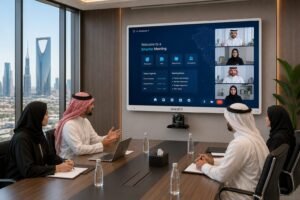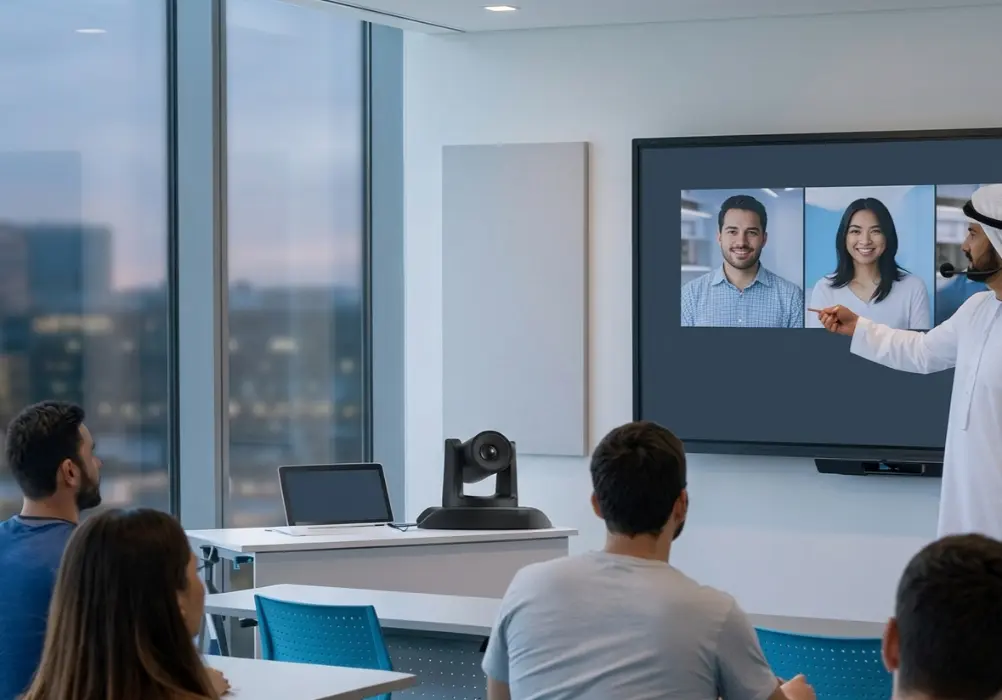
When schools set up lecture recording systems, one question always comes up early: PTZ camera vs fixed-camera classroom, which should you choose? Both options can capture high-quality video, but they work very differently, cost different amounts, and suit different teaching environments.
This guide breaks down everything in plain language so that school administrators, IT managers, and educators can make a confident, informed decision. Whether you are setting up a single classroom or an entire campus, the information below will help you pick the right tool for the job.
Table of Contents
What is a PTZ Camera and What is a Fixed Camera?
Before comparing the two, it helps to understand what each camera actually does.
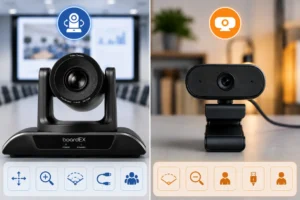
A PTZ camera (Pan-Tilt-Zoom) is a motorized camera that can move left and right (pan), move up and down (tilt), and zoom in or out, all from a remote control, software, or automated tracking system. In a classroom setting, a PTZ camera can follow a teacher as they move across the room, zoom in on a whiteboard, and switch angles without anyone touching the camera manually.
A fixed camera, as the name suggests, stays in one position. It has a set field of view and captures whatever is in that frame. It does not move, track, or zoom during recording. Setup is simple, and operation is straightforward.
Key Differences at a Glance
| Feature | PTZ Camera | Fixed Camera |
|---|---|---|
| Movement | Pan, tilt, zoom | No movement |
| Auto-tracking | Available on most models | Not available |
| Setup complexity | Moderate to advanced | Simple |
| Cost | Higher | Lower |
| Best for | Active teaching, large rooms | Lecture-style, small rooms |
| Operator needed? | No (auto-tracking models) | No |
| Video production quality | Broadcast-style | Clean, stable footage |
| Maintenance | More parts to maintain | Very low maintenance |
PTZ Camera for Classroom: Pros and Cons
PTZ Camera — Advantages
Follows the teacher automatically, so students always see the speaker clearly
Covers large lecture halls and open-plan classrooms without blind spots
Zoom feature captures whiteboard content and slides in detail
Produces professional-quality recordings suitable for online publishing
Reduces the need for a dedicated camera operator during live classes
Integrates well with interactive flat panels and lecture capture software
PTZ Camera — Disadvantages
Higher upfront cost compared to fixed cameras
More complex to configure and calibrate correctly
Motorized parts can wear out over time and need servicing
Auto-tracking may get confused in crowded classrooms with many moving people
Requires proper network or control system integration for remote operation
Despite its higher cost, a PTZ camera for school lecture recording is the preferred choice in institutions where teachers move around, use multiple teaching zones, or need to record video content for hybrid and remote learners. The auto-tracking feature alone saves significant time and removes the burden of managing camera angles during a live class.
Fixed Camera for Classroom: Pros and Cons
Fixed Camera — Advantages
Very affordable, making it ideal for budget-conscious schools
Simple plug-and-play installation with minimal configuration
No moving parts means fewer technical issues and a longer lifespan
Consistent, stable framing works well for traditional, desk-based lectures
Low maintenance — once set up, it just works
Fixed Camera — Disadvantages
Cannot follow a teacher who moves around the room
A limited field of view may miss important moments off-screen
No zoom means whiteboard content can appear small or hard to read
Recordings can feel static and less engaging for remote students
May require multiple cameras to cover a large classroom fully
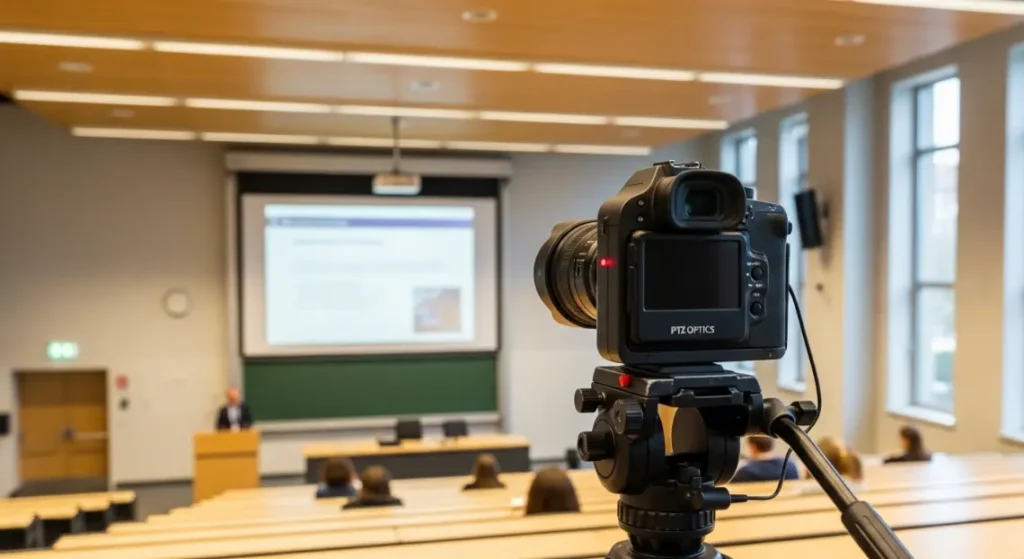
A fixed camera is a reliable and cost-effective solution for schools that follow a traditional lecture format, where the teacher stays near the front, and the classroom is small to medium-sized. If your school is just starting with lecture recording and wants a low-risk, low-maintenance setup, a fixed camera is a sensible entry point.
Which Camera Works Best for School Lecture Recording?
The honest answer depends on four things: your classroom size, your teaching style, your budget, and your recording goals. Here is a simple way to think about it.
Choose a PTZ camera if:
- Your teachers move around while teaching
- You have a large classroom, lecture hall, or auditorium
- You want to record lectures for online students or a flipped classroom model
- You use an interactive flat panel and want to capture both the teacher and the screen content
- You want a professional recording with dynamic angles and no manual camera operation
- You run live-streamed or hybrid classes where video quality matters
Choose a fixed camera if:
- Your teachers teach from a fixed position at the front of the class
- The classroom is small, and a wide-angle lens can cover the entire teaching zone
- Your budget is limited, and you need a cost-effective recording solution
- You want a simple, set-and-forget camera that requires almost no ongoing management
- You are piloting a lecture recording program and want to test it before investing more
Pro insight from boardEX: Many schools start with a fixed camera and upgrade to a PTZ camera once they see how valuable recorded lectures become for student revision, parent reviews, and online learning. Starting simple is always a valid strategy.
Use-Case Scenarios: Real Classroom Situations
Scenario 1: A small primary school classroom
The class has 25 students, the teacher stays near the whiteboard and the interactive flat panel, and the room is about 6 by 8 meters. In this case, a fixed wide-angle camera mounted at the back of the room works perfectly. It captures the teacher, the board, and the students without any complexity.
Scenario 2: A university lecture hall
The hall seats 200 students, the professor walks across the stage, and lectures are streamed to remote learners. Here, a PTZ camera with auto-tracking is the right choice. It follows the speaker, zooms into presentation slides, and delivers broadcast-quality video that works for both in-person and online audiences.
Scenario 3: A hybrid learning classroom
The school runs classes for students both in the room and joining from home. The teacher uses an interactive flat panel and moves between the panel and the students. A PTZ camera paired with the interactive display is the ideal setup. It captures dynamic teaching moments, connects seamlessly with video conferencing tools, and ensures remote students feel included in the lesson.
Scenario 4: A corporate training room
The training room is used for onboarding sessions, skill workshops, and recorded e-learning content. Trainers use slides and walk-through demonstrations. A PTZ camera gives training teams the flexibility to record polished videos without hiring a camera crew, making it a smart long-term investment for any learning and development department.
How PTZ Cameras Work with Interactive Flat Panels
One of the biggest advantages of a PTZ camera in a modern classroom is how well it works alongside an interactive flat panel display. When the teacher annotates on the panel, the PTZ camera can zoom in to capture that content clearly. When the teacher steps back to address the class, the camera widens its frame to follow them.
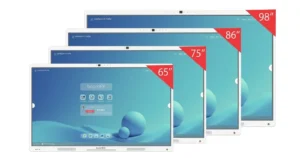
boardEX interactive flat panels are designed to work in exactly this kind of integrated classroom setup. The panels support seamless connectivity with camera systems, video conferencing software, and lecture capture platforms. When you pair a boardEX PTZ Camera Vision Pro with a boardEX interactive panel, you get a complete classroom recording ecosystem where every part works together.
This level of integration is something a fixed camera simply cannot match. Fixed cameras capture a static frame, which means the viewer watching a recording can never get a close-up of the board content unless the camera was positioned very close to begin with.
Important Factors to Consider Before You Buy
Room size and layout
Measure your classroom before choosing a camera. A wide-angle fixed camera might cover a small classroom perfectly, but a large lecture hall almost always needs a PTZ camera or multiple fixed cameras to cover all angles properly.
Teaching style
Talk to your teachers before making a decision. If they walk around, interact with students at their desks, and use multiple areas of the room, a PTZ camera will serve them far better. If they teach from a standing position near the board, a fixed camera may be enough.
Recording purpose
Are you recording lectures for in-class review only, or are you publishing them online for remote students and external audiences? If the recordings will be shared widely, the professional quality of a PTZ camera output will make a significant difference in how your institution is perceived.
Budget and total cost of ownership
A fixed camera costs less upfront, but if you need multiple fixed cameras to cover one large room, the total cost can quickly approach the price of a single PTZ camera. Think about the full picture, not just the sticker price.
Technical support and ease of use
Consider your school’s IT capability. PTZ cameras require a slightly more involved setup, but modern models come with intuitive interfaces and strong manufacturer support. boardEX, for example, provides full installation assistance and ongoing technical support across Saudi Arabia to make sure your classroom technology always performs at its best.
Frequently Asked Questions
Can a PTZ camera work without a camera operator in a classroom?
Yes. Modern PTZ cameras come with AI-powered auto-tracking that detects and follows the speaker automatically. Once set up, the camera operates on its own throughout the lesson with no manual control needed.
Is a fixed camera good enough for online lecture recordings?
A fixed camera can work well for online recordings if the teaching style is stationary and the camera is positioned correctly. However, for more engaging and professional recordings, a PTZ camera produces better results because of its ability to follow the teacher and zoom into the content.
What resolution should a classroom camera have?
For lecture recording, a minimum of 1080p Full HD is recommended. Many PTZ cameras now offer 4K resolution, which is ideal when recordings need to show detailed board content, text, or slides in high clarity.
How does a PTZ camera connect to an interactive flat panel?
PTZ cameras typically connect via USB, HDMI, or through a network connection. They can be integrated with video conferencing software and lecture capture platforms that run on or alongside the interactive flat panel, creating a unified classroom recording and live-streaming setup.
Which camera is better for a flipped classroom model?
A PTZ camera is generally better for flipped classroom recording because it produces more dynamic, engaging video content. When students watch lecture recordings at home, the auto-tracking and zoom features keep the video interesting and easy to follow, which supports better learning outcomes.
Does boardEX offer PTZ cameras for school use?
Yes. boardEX offers the PTZ Camera Vision Pro, specifically designed for educational environments. It integrates seamlessly with boardEX interactive flat panels and is backed by full installation and technical support across Saudi Arabia.
Final Thoughts
When it comes to the PTZ camera vs fixed camera classroom debate, there is no universal winner, only the right tool for your specific situation. Fixed cameras are simple, affordable, and reliable. PTZ cameras are flexible, intelligent, and built for modern teaching environments where movement, hybrid learning, and professional-quality recording all matter.
If your school is investing in an interactive flat panel and building a proper edtech ecosystem, a PTZ camera is the natural companion. It turns every lesson into a high-quality recording that serves students in the classroom, at home, and everywhere in between.
boardEX is here to help schools in Saudi Arabia and beyond build complete, connected classroom setups, from 4K interactive flat panels to professional PTZ cameras and full installation support. Reach out to the boardEX team today to find the right solution for your school.