Table of Contents
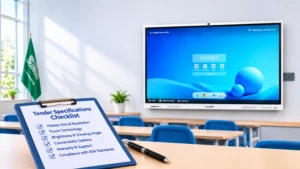
Quick answer: A good interactive panel tender for a Saudi school states measurable minimums for the display, touch, computing, software, and ports, then asks for proof: SABER/SASO conformity for the exact model, wireless approval, Arabic software support, on-site warranty terms, and a written acceptance test. Below is the checklist we use when schools ask us to review their RFP, with suggested minimum and preferred values and the wording you can paste into your specification.
Why most school panel tenders go wrong
Three problems come up again and again when we read school RFPs.
The first is copying one brand’s datasheet. A spec that says “Mohs 7 glass, 0.5 mm writing height, 48 MP camera” because one supplier’s brochure said so either locks the tender to that brand or invites a stream of clarification questions. Write the outcome you need and a minimum, and let bidders show how they meet it.
The second is vague wording. “High resolution”, “latest Android” and “good warranty” cannot be scored. Two bids that both claim them can be very different products.
The third is missing the Saudi-specific items: conformity certificates, wireless approval, Arabic language support, local service presence, and, for government schools, Etimad and local content rules. These are the items that delay delivery or disqualify a bid after award, when it is most expensive to fix.
Before you write the spec: five facts to collect
Specs are easier to write and fairer to evaluate when the tender states the facts of the site:
- Number of rooms and the depth of each room type (classroom, lab, lecture hall, meeting room), so bidders can justify the screen size they offer.
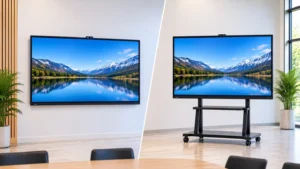
- Mounting for each room: wall mount, mobile trolley stand, or both. Note wall construction (block, concrete, drywall) where known.
- Whether teachers will use Android only, Windows through an OPS module, or both.
- Network conditions: Wi-Fi coverage, whether panels may join the school network, and any content-filtering rules.
- Delivery window, working hours for installation, and who removes old projectors or boards.
The specification checklist
Values in the “suggested minimum” column are a practical baseline for classroom use in 2026. “Preferred” values are worth extra points in scoring, not reasons to reject a bid. Adjust both to your budget.
Display
| Item | Suggested minimum | Preferred / score higher | Ask bidder to provide |
| Sizes | State per room type (e.g. 65″, 75″, 86″) | Size justified against room depth | Size per room in the bill of quantities |
| Resolution | 4K UHD (3840 × 2160) | – | Datasheet |
| Brightness | 350 cd/m² | 400 cd/m² or more | Datasheet value (typical and minimum) |
| Viewing angle | 178° | – | Datasheet |
| Glass | Tempered, anti-glare | Stated hardness and anti-glare treatment | Datasheet |
| Panel lifespan | Stated in hours | 50,000 hours | Datasheet |
| Eye care | Low blue light mode | Hardware low blue light / flicker-free | Datasheet or certificate |
Touch and writing
| Item | Suggested minimum | Preferred | Ask bidder to provide |
| Technology | Infrared or equivalent | – | Datasheet |
| Touch points | 20 simultaneous | 40 on Windows/OPS | Datasheet, live demo |
| Writing | Two pens included, finger and pen recognition | Palm rejection, pen/finger distinction | Live demo during evaluation |
| Multi-user | 2 users writing at the same time | 4 or more | Live demo |
Touch performance is the one area where a datasheet is not enough. Ask for a sample panel or a demo, and test writing speed, corner accuracy, and palm rejection with an actual teacher.
Built-in computing (Android)
| Item | Suggested minimum | Preferred | Ask bidder to provide |
| Android version | State a minimum version | Update policy for the warranty period | Datasheet + written update policy |
| RAM/storage | 8 GB / 64 GB | 8 GB / 128 GB | Datasheet |
| App installation | Can install school-approved APKs | Central app management | Demo |
| Whiteboard app | Included, no annual fee | Save to cloud and USB, export to PDF | Licence terms in writing |
OPS / Windows module (if required)
| Item | Suggested minimum | Preferred | Ask bidder to provide |
| OPS slot | Standard OPS slot on every panel | – | Datasheet |
| Processor | Intel Core i5 (state generation) | Core i7 for labs | Datasheet |
| RAM/storage | 8 GB / 256 GB SSD | 16 GB / 512 GB SSD | Datasheet |
| Windows licence | Genuine licence included | Education licensing confirmed | Licence statement |
State clearly whether OPS is required on all panels, some panels, or as a priced option. Mixing these up is a common source of bid price differences that look like discounts but are really missing items.
Ports and connectivity
| Item | Suggested minimum | Ask bidder to provide |
| HDMI in | 3 (at least 1 on the front) | Port diagram |
| USB | 2 front-accessible, USB 3.0 on at least one | Port diagram |
| USB-C | Optional; preferred for teacher laptops with video + touch | Port diagram |
| Touch USB | Paired with each video input | Port diagram |
| LAN | RJ45, 1 Gbps | Datasheet |
| Wi-Fi / Bluetooth | Built-in, dual-band | Saudi wireless approval for the model |
| Audio out | Line out / HDMI ARC | Datasheet |
Audio, camera, and microphone
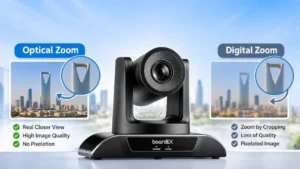
Built-in speakers of around 2 × 15–20 W are usually enough for a standard classroom. If the school plans hybrid lessons or lecture recording, list the camera and microphone as separate priced lines, and say whether they must be built-in or external. For lecture halls, a PTZ camera is often a better fit than a built-in webcam.
Software, Arabic support and device management
| Item | What to require |
| Arabic interface | Panel menus and whiteboard app available in Arabic |
| Arabic input | Arabic on-screen keyboard; ask whether Arabic handwriting recognition is supported |
| Wireless screen sharing | From Windows, macOS, Android and iOS, with no per-device licence fee |
| Device management | Remote power schedules, app push, firmware updates, port lock |
| Video conferencing | Works with the platforms the school uses (state them) |
| Licences | All software licences listed with term, renewal cost and what stops working if not renewed |
| AI features | Listed separately: what works offline, what needs an account or subscription, and which languages |
Ask the bidder to demonstrate Arabic support live, not only in a brochure. A menu that is translated but a whiteboard app that does not handle right-to-left text is a common gap.
Data and privacy (PDPL)
If the whiteboard software, cloud storage, or AI tools store lesson files or student information, ask where the data is stored, who can access it, and how it is deleted at the end of the contract. Saudi Arabia’s Personal Data Protection Law (PDPL) applies to personal data, so your IT or legal team should review the answers before awarding.
Power, environment and installation
| Item | What to require |
| Power | Works on Saudi 230 V / 60 Hz supply; Saudi plug or approved adaptor |
| Operating temperature | At least 0–40 °C (useful when classroom AC fails in summer) |
| Standby power | Compliance with SASO standby/sleep-mode requirements for displays |
| Mounting | VESA pattern and weight stated; wall bracket rated above panel weight |
| Installation scope | Bracket, fixing, cable management, power point (who supplies it), removal of old equipment |
| Trolleys | Load rating, panel size compatibility, lockable wheels; see our trolley stand |
Warranty, service and training
Write warranty terms so they can be enforced:
- Warranty period: 3 years minimum, on-site, covering panel, touch frame, Android board and OPS module (state OPS separately if its warranty differs).
- Response: fault acknowledged within one working day; engineer visit or replacement within a stated number of working days per city.
- Replacement: what happens if a panel cannot be repaired on site (loan unit, swap, or credit).
- Spare parts: availability commitment for a stated number of years after delivery.
- Training: on-site teacher training per school (state duration and number of sessions), plus an IT admin session and Arabic and English user guides.
Acceptance testing: what to check before you sign
A written acceptance test turns “installed” into “working”. Use it on a sample panel before mass delivery, then on every installed unit.
- Serial numbers and model match the bid and the certificates.
- Panel powers on, with no dead pixels or backlight bleeding visible on a white and black screen.
- Touch works in all four corners and the centre; the stated number of touch points responds.
- Every HDMI and USB-C input shows video and returns touch to a laptop.
- Front USB ports read a USB drive.
- Wi-Fi joins the school network; wireless screen sharing works from a teacher laptop and a phone.
- OPS module (if supplied) boots, shows a genuine Windows licence and drives touch.
- Speakers, microphone and camera (if supplied) work in a test call.
- Arabic interface and Arabic keyboard work in the whiteboard app.
- Wall bracket or trolley is fixed, level and locked; cables are tidy and labelled.
- Teacher training session completed and signed.
- Warranty certificate, user guides, and support contact handed over.
How boardEX fits this checklist
The boardEX RK-10-PRO is available in 65″, 75″, 86″, and 98″ sizes with 4K UHD, infrared touch (20 points on Android, 40 points with OPS), Android with 8 GB RAM and 128 GB storage, an optional Windows 11 OPS module, and a 3-year warranty. Panels are supplied and installed from Riyadh, Jeddah, and Dammam, with installation and teacher training included in the project scope. Full specifications are on the RK-10-PRO interactive flat panel page.
If your school is preparing a tender, our team can review your specification against this checklist and supply the datasheets, certificates, and demo panel your committee needs. Request tender support
Frequently asked questions
What should an interactive flat panel tender include?
Display, touch, computing, ports, software and Arabic support requirements with measurable minimums, plus certificates, warranty terms, installation scope, training and a written acceptance test.
How long should the warranty be?
Three years on-site is a reasonable minimum for school panels. State response times and what happens if a unit cannot be repaired on site.
How do we test panels at delivery?
Use a written acceptance checklist covering serial numbers, display, touch, every input, Wi-Fi, OPS, audio, Arabic support, mounting, and training sign-off. Test a sample unit before mass delivery.