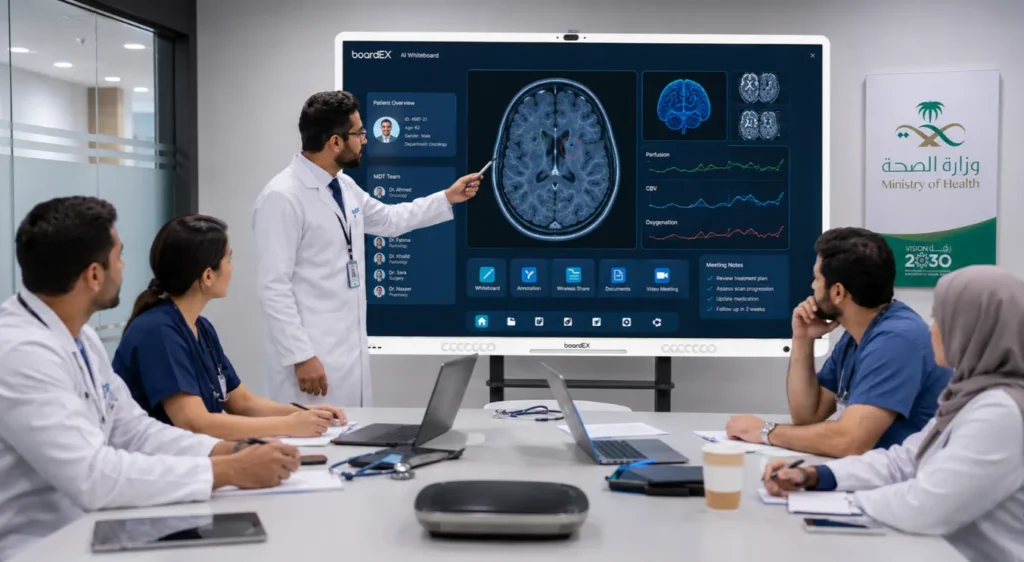
An interactive display turns a multidisciplinary team meeting into a single shared workspace where scans, lab results, and pathology can be pulled up, annotated, and shared with remote consultants in real time. Instead of crowding around one workstation or passing a laptop down the table, the whole MDT looks at the same large touch screen, marks up the image together, and reaches a documented decision faster. For a busy tumour board or weekly case review in a Saudi hospital, that means fewer delays, clearer records, and a smoother path from discussion to treatment plan.
Below is how that plays out across a real case-review session, where the friction usually sits, and what to look for when choosing a panel for a clinical meeting room.
Table of Contents
What is an MDT meeting, and why does the room setup matter?
A multidisciplinary team meeting brings together specialists from different fields to review a single patient case and agree on the next step. A tumour board is the most familiar example: an oncologist, a radiologist, a pathologist, a surgeon, and a specialist nurse review one patient together and decide on treatment.
These meetings live or die on shared visual information. The radiologist needs the imaging on the screen. The pathologist needs the slides. Everyone needs to see the same thing at the same time and agree on what they are looking at. When the room cannot show all of that clearly, the meeting slows down, side conversations start, and decisions get pushed to the following week.
This is exactly where the display becomes part of the clinical workflow rather than just office furniture. A large, high-resolution touch screen lets the team treat the case as one shared view instead of several private screens.
Walking through a real MDT case-review session
To show where an interactive panel removes friction, here is how a single case moves through a weekly review when the room is set up well.
1. Pulling up the case
The coordinating clinician opens the patient record on the panel and brings the relevant imaging onto the screen. A 4K panel matters here because CT and MRI series carry fine detail. On a low-resolution screen, that detail is lost, and the radiologist ends up describing what nobody else can quite see. On a sharp, large-format display, the whole table sees the same structures clearly.
2. Reviewing the imaging together
The radiologist scrolls through the series directly on the touch screen, zooms into the area of interest, and the rest of the team follows in real time. There is no narrating from a corner workstation while everyone waits. The image is the centre of the room.
3. Annotating the findings
Using the pen and multi-touch, the radiologist circles the lesion, the surgeon marks the planned margin, and the notes stay on the image for the record. This shared annotation is the moment an interactive panel clearly beats a plain meeting room television. Everyone is marking up the same picture, and the marked-up view can be saved with the case notes.
4. Bringing in a remote consultant
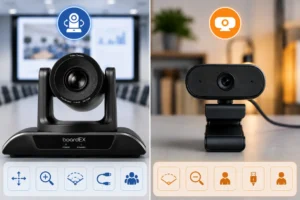
Many Saudi hospitals run cases that need a subspecialist who is not on site, sometimes in another city entirely. With a video conferencing camera connected to the panel, the remote consultant joins the review, sees the annotated imaging, and contributes to the decision without travelling. A quality auto-framing conferencing camera keeps whoever is speaking in clear view, which keeps a remote specialist engaged rather than squinting at a static wide shot.
5. Recording the decision
Once the team agrees, the outcome and the annotated images are saved against the patient record. The meeting ends with a documented plan rather than a verbal agreement that someone has to write up later from memory.
The pattern across all five steps: The panel keeps one shared view at the centre of the room, lets the right person mark it up, and brings in remote expertise without losing the picture. That is the friction an interactive display removes from an MDT meeting.
Where interactive displays remove friction in clinical meetings
| Common MDT friction point | How an interactive display solves it |
| The team crowds around one small workstation | Large format touch screen gives every seat the same clear view |
| Only one person can control the imaging | Multi-touch and pen let clinicians annotate directly on screen |
| Remote specialists cannot see the details | The conferencing camera shares the annotated view in real time |
| Decisions written up later from memory | Annotated images and outcomes are saved straight to the record |
| Fine imaging detail is lost on a low-resolution screen | 4K resolution keeps CT and MRI detail readable across the room |
What to look for in a panel for a clinical meeting room
Not every display suits a tumour board or case review room. A few features make the difference between a screen that helps and one that gets in the way.
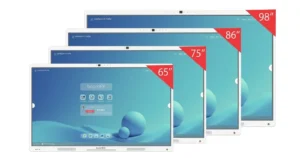
- 4K resolution and a large size. Imaging detail has to stay readable from every seat. An 86-inch class panel suits most MDT rooms; smaller rooms can work with 75 inch.
- Responsive multi-touch with a pen. Annotation has to feel natural, with fine control for marking a lesion or a surgical margin.
- Anti-glare glass. Clinical meeting rooms are often brightly lit. A matte, anti-glare surface keeps imaging clear under hospital lighting.
- Easy video conferencing. The panel should connect cleanly to a conferencing camera so remote consultants can join without a technical struggle each week.
- Wireless screen sharing. Clinicians should be able to put a case from their own device onto the panel without cables.
- Arabic and English interface. A bilingual interface keeps the panel usable for every member of staff in a Saudi hospital.
boardEX builds these features into its interactive flat panel displays, with 4K screens, 40-point multi-touch, a dual-tip pen, anti-glare glass, and an Arabic first interface.
How does this fit the wider hospital?
The MDT meeting room is one of several places in a hospital that benefit from interactive displays. The same core technology supports nurse stations, patient education rooms, and training spaces, each in its own way, which is worth weighing when planning interactive flat panels for a hospital rather than fitting out a single room.
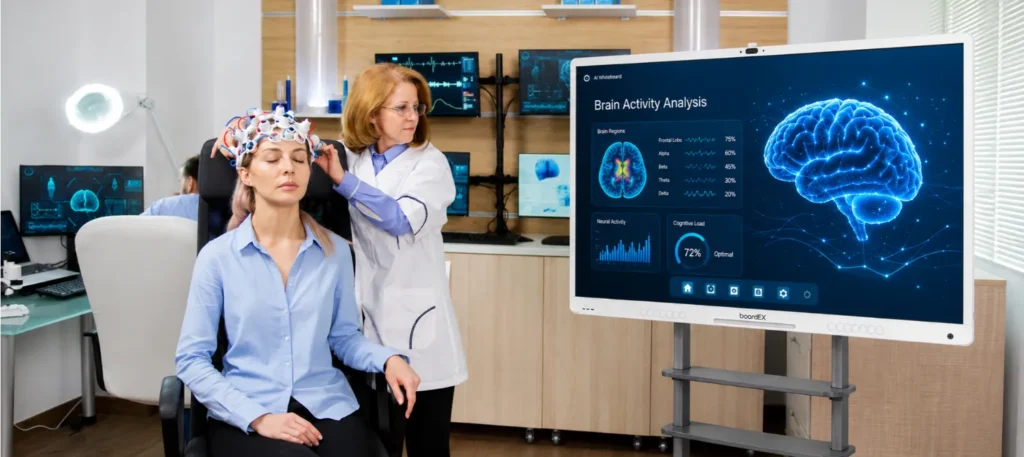
For meeting and case review rooms specifically, the combination that works is a large interactive panel paired with a conferencing camera, installed and configured by a team that understands clinical environments. boardEX handles the site survey, installation, staff training, and after-sales support across the Kingdom, so a new MDT room is ready to use rather than left for the IT team to figure out.
Planning an MDT or case review room?
boardEX will survey the space, recommend the right panel and camera setup, and handle installation and training. Book a site survey
Frequently asked questions
Can clinicians annotate medical images directly on an interactive display?
Yes. An interactive flat panel with multi-touch and a pen lets clinicians circle a lesion, mark a surgical margin, or highlight a finding directly on the image during the meeting. The annotated view can be saved with the case notes, so the record reflects exactly what the team discussed.
How do remote consultants join an MDT meeting on an interactive panel?
A video conferencing camera connects to the panel and runs the meeting through the hospital’s preferred conferencing software. The remote consultant sees the shared imaging and annotations in real time and contributes to the decision without travelling to the site. An auto-framing camera keeps the active speaker in clear view throughout.
What size interactive display is best for a tumour board room?
An 86-inch class 4K panel suits most tumour board and MDT rooms, because imaging detail has to stay readable from every seat around the table. Smaller meeting rooms can work with a 75-inch panel. The priority is a large, sharp screen so fine CT and MRI detail is not lost across the room.
Is a 4K resolution necessary for reviewing medical imaging?
For shared imaging review, it makes a clear difference. CT and MRI series carry fine detail that a low-resolution screen flattens, which forces the radiologist to describe what the rest of the team cannot quite see. A 4K panel keeps that detail readable, so the whole MDT looks at the same clear picture.
Does boardEX install interactive displays in hospitals across Saudi Arabia?
Yes. boardEX provides interactive displays with full installation, staff training, and after-sales support for hospitals and clinics across the Kingdom, including a site survey to match the panel and camera setup to each room before installation.