


Interactive Flat Panel for Universities & Lecture Halls in Saudi Arabia
Saudi Arabia is currently investing more in higher education than at any point in its modern history. With over 2.2 million students enrolled across the Kingdom in 2024, and demand expected to grow to 2.5 million university seats by 2030, universities in Riyadh, Jeddah, and Dammam are under significant pressure to modernise their infrastructure and teaching environments. The lecture hall, in particular, is being rethought from the ground up.
boardEX interactive flat panels are purpose-built for this environment. Rather than repurposing a commercial display or a school-grade board, the boardEX range is engineered around the specific demands of higher education: large audiences, multi-source inputs, hybrid delivery, and the need for reliable performance across a full academic year. This page covers everything a university procurement team or facilities manager in KSA needs to know.
Large-Format Displays for Lecture Halls
Lecture halls present challenges that standard classroom environments do not. The distance between the front display and the back row of seating is considerably greater, the ambient light conditions vary far more widely, and the content being displayed is often more complex: annotated diagrams, live data feeds, split-screen comparisons, and video conferencing windows running simultaneously.
boardEX large-format interactive flat panels are designed to meet all of these demands without compromise. The following features are specifically relevant to university lecture environments:
- 4K Ultra HD resolution is maintained across all screen sizes, so content remains sharp for students seated at the back of a 120-seat theatre
- Anti-glare tempered glass eliminates reflective hotspots caused by overhead lighting, which is a common problem in purpose-built lecture theatres
- 40-point multi-touch response allows the lecturer to annotate, zoom, and navigate at natural speed, without lag or drift
- Built-in 4K front-facing camera and 48W speaker array are included, which reduces the need for separate conferencing hardware in smaller venues
- Dual operating system support (Android 13 and optional Windows OPS slot) means the panel works with both the institution’s existing software environment and its own built-in tools
- A fanless design eliminates background noise, which is particularly important in acoustically sensitive lecture spaces where microphones pick up everything
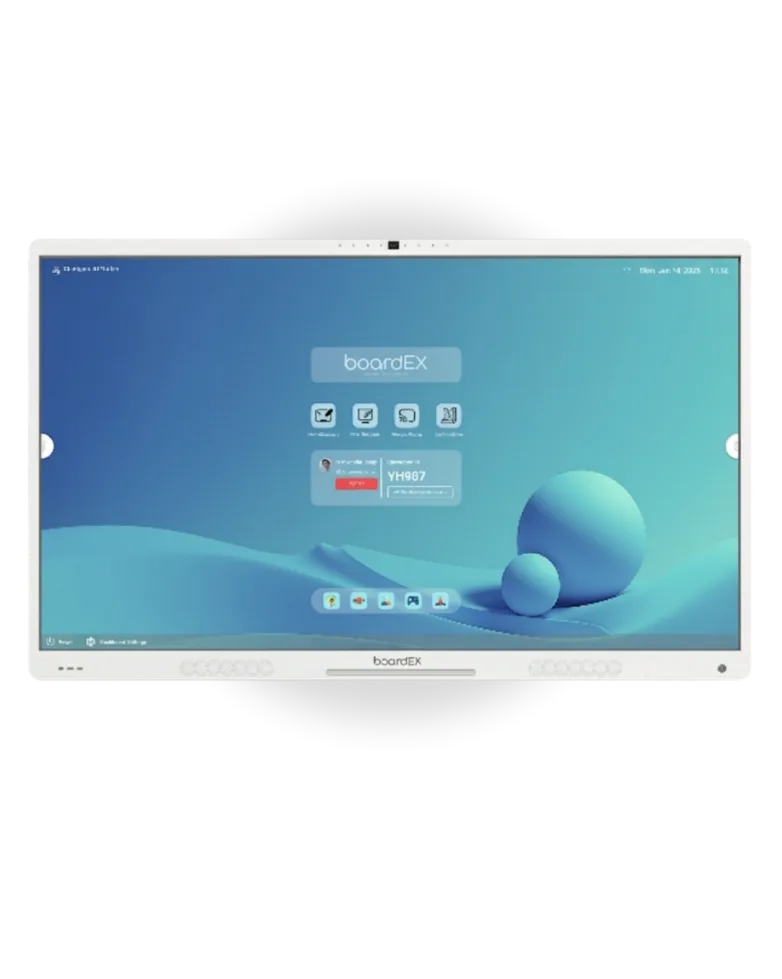
Recommended Sizes: 65, 75 and 86 Inch Options
Choosing the correct screen size is one of the most consequential decisions in any lecture hall display project. A panel that is too small means that students beyond the midpoint of a large hall cannot read text comfortably. A panel that is disproportionately large for a small seminar room creates visual distortion at close range. Furthermore, the size of the panel affects the depth of the teaching experience: an 86 inch display in a 120-seat theatre becomes a genuine focal point for the room, whereas a 65 inch panel in the same space would be overlooked.
The following table is provided as a starting reference. A boardEX site survey, which is offered at no cost, can confirm the right option for any specific space.
Screen Size | Typical Hall Area | Recommended For | Audience Capacity |
65 inches | Up to 500 sq ft | Seminar rooms, tutorials | Up to 30 students |
75 inches | 500 to 800 sq ft | Medium lecture halls | 30 to 60 students |
86 inches | 800 to 1,200 sq ft | Large lecture theatres | 60 to 120 students |
It is worth noting that universities often operate a mixed estate, with seminar rooms, tutorial spaces, and large theatres all requiring different display solutions. boardEX is able to supply across all three size categories in a single procurement, which simplifies sourcing, warranty management, and technical support. A single point of contact is provided for the entire campus deployment.
Hybrid Learning Integration
The shift toward hybrid teaching, where some students attend in person and others participate remotely, accelerated significantly during and after 2020. Saudi universities, particularly those affiliated with the Ministry of Education’s digital transformation program under Vision 2030, are now expected to maintain hybrid delivery capability as a standard feature rather than an emergency measure.
boardEX panels are built to support hybrid lecture delivery in several ways. Firstly, the panel operates as the central command point for the hybrid session. The lecturer can display slides on the main screen, open a Teams or Zoom call in a separate window, share their screen to remote participants, and annotate over live content, all from a single surface without switching devices.
Secondly, the panel’s wireless screen sharing function allows students in the room to cast their own devices to the display, which enables peer presentations and group activity outputs to be shown without cables or adapters. This is managed through the boardEX casting system, which is compatible with Miracast, AirPlay, and Google Cast simultaneously.
Thirdly, and perhaps most practically, the panel’s built-in whiteboard session can be saved and distributed to students immediately after the lecture, which reduces transcription time and allows remote students to receive the same annotated content as those present in the room.
Camera and Conferencing Add-ons: PTZ Camera Integration
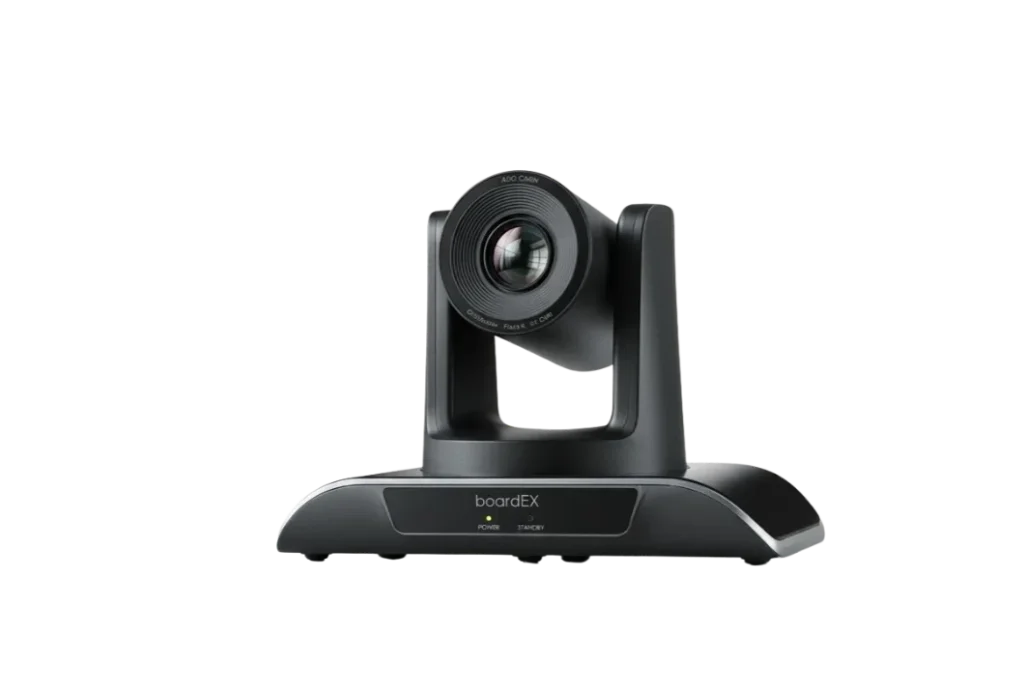
The built-in camera on the boardEX panel is well-suited to smaller lecture rooms and seminar spaces. For larger theatres where the lecturer moves around the front of the hall, however, a Pan-Tilt-Zoom (PTZ) camera is the appropriate solution. PTZ cameras track the speaker automatically, keep them in frame as they move, and transmit a sharp image to remote participants even across a large room.
boardEX supplies and integrates the Vision Pro PTZ Camera as a companion to the interactive flat panel in university environments. The key points relevant to higher education are as follows:
- Auto-tracking follows the lecturer across the width of the teaching area, with no need for a camera operator during the session
- 4K optical zoom maintains image quality whether the camera is close to the lecturer or tracking them from a distance
- USB and HDMI connection to the panel means the PTZ feed is visible directly within the Teams or Zoom interface displayed on the screen
- Ceiling-mount and rear-wall mounting brackets are available, which keeps the camera out of the sightlines of students in the hall
- The camera is compatible with all major video conferencing platforms used in Saudi universities, including Microsoft Teams, Zoom, Cisco Webex, and Google Meet
For universities deploying across multiple lecture theatres, the PTZ camera and panel are supplied as a combined unit with a single installation visit. Wiring, positioning, and calibration are all managed by the boardEX technical team, which removes the need for internal IT resource during the setup phase.
For more detail on the PTZ camera specification, the boardEX Vision Pro camera page is available at ptz cameras vision pro.
IT and Network Integration
University IT teams have specific requirements that differ from school or corporate environments. Devices need to be enrolled into institutional network management systems, access needs to be controlled at the user level, and content or applications need to be pushed remotely across a campus estate that may include hundreds of panels.
boardEX panels are built with institutional IT environments in mind. The following integration points are relevant to university deployments in Saudi Arabia:
- The panel supports Mobile Device Management (MDM) enrolment, which allows the university IT team to manage all panels from a central dashboard, push firmware updates, restrict access to specific applications, and monitor device status remotely
- Wired LAN (1Gbps Ethernet) and dual-band Wi-Fi (2.4GHz and 5GHz) are both supported, which gives flexibility depending on the network infrastructure of each building on campus
- VLAN configuration is supported, which allows the panel to operate within the institution’s existing network segmentation without creating a security risk
- The panel supports LDAP and Active Directory integration, so university staff can log in with their existing institutional credentials rather than managing a separate account
- Multi-input sources are supported simultaneously, including HDMI (x3), USB-C with power delivery, DisplayPort, and VGA, which covers laptop connections, document cameras, visualisers, and other input devices used in Saudi university settings
The table below summarises the platforms and input sources that are most commonly used in Saudi university lecture environments, along with how each is typically used in conjunction with the boardEX panel.
Platform / Source | How It Is Used in University Lectures |
Microsoft Teams | Live hybrid lectures, screen sharing, guest speaker sessions |
Zoom | Webinar-format teaching, polling, and breakout rooms projected on screen |
Blackboard / Moodle LMS | Direct access to course content and student submission portals |
Google Workspace | Real-time document collaboration displayed on the panel during class |
Document Cameras | Physical document or specimen displayed via HDMI input alongside digital content |
For institutions that operate Blackboard or Moodle as their primary LMS, the panel’s built-in browser can access these platforms directly without requiring a connected laptop. This allows the lecturer to pull up course materials, assignment portals, and student records directly from the screen.
Request a University Campus Demo
A campus demo is the most effective way to evaluate whether the boardEX panel is the right fit for your lecture halls. During a demo visit, the boardEX team will bring a panel to your site, set it up in one of your existing spaces, and walk your academic and IT stakeholders through a live session that mirrors a real lecture environment.
The demo covers the following:
- Live hybrid lecture simulation using Teams or Zoom with the PTZ camera
- Multi-input source test using a laptop, document camera, and USB-C device simultaneously
- Whiteboard and annotation tools demonstrated by a lecturer in a real teaching context
- LMS access via the built-in browser
- MDM enrolment walkthrough for the IT team
Demos are available across Riyadh, Jeddah, and Dammam. Universities outside these cities are also served; please get in touch to confirm availability in your region.
Frequently Asked Questions
Yes. The panel operates as a standalone interactive display without internet access. The whiteboard, annotation tools, and locally stored content all function offline. Internet connectivity is only required for cloud-based platforms such as Teams, Zoom, or LMS access.
In most cases, yes. boardEX panels accept HDMI and USB inputs, which are the standard output formats for document cameras used in Saudi university settings. The technical team can confirm compatibility during the site survey visit.
A dedicated project coordinator is assigned to all orders of 10 or more panels. This coordinator manages the installation schedule room by room, coordinates with the facilities team on mounting and cabling, and provides a phased handover that minimises disruption to the academic calendar.
Under the standard warranty, a boardEX technician will attend on site within 48 business hours. If the repair takes longer than five working days, a replacement unit is provided to keep the lecture hall operational.
Yes. The panel’s operating system supports full Arabic text input and display, and the interface can be set to Arabic as the default language. This applies to the whiteboard, browser, application launcher, and all built-in tools.