A PTZ camera for video conferencing is a motorized camera that pans, tilts, and zooms to keep whoever is speaking clearly in frame, so remote participants see a live meeting room instead of a static wide shot. Unlike a fixed webcam, it covers a whole boardroom from one unit, follows the active speaker with AI tracking, and zooms into faces or a shared screen without anyone touching it. For hybrid teams across Riyadh, Jeddah, and Dammam, that difference is what makes a remote colleague feel present in the room rather than watching from the back wall.
This guide explains how a PTZ camera works, the features that actually matter for meetings, how it connects to your conferencing platform, how to match it to your room size, and how it pairs with an interactive display. It is written for IT leads, facilities managers, and AV buyers choosing equipment for real meeting rooms, not a product ranking. When you reach the point of picking a specific model for the Saudi market, we point you to the right resource for that.
Table of Contents
What is a PTZ camera for video conferencing?
PTZ stands for pan, tilt, and zoom. A PTZ camera is a single motorized unit that can rotate horizontally (pan), angle up and down (tilt), and move its lens closer or further (zoom) through commands rather than physical handling. In a conferencing context, that means one camera mounted above or below the display can cover a long table, swing toward whoever starts talking, and tighten the shot on their face, all during a live call.
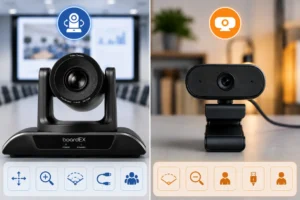
A standard webcam does none of that. It sits fixed, sees one angle, and forces everyone to crowd into its narrow view. In a room with more than three or four people, that static frame is exactly what makes remote participants disengage. The motorized movement is the whole reason the category exists for meeting spaces.
How a PTZ camera improves video conferencing calls
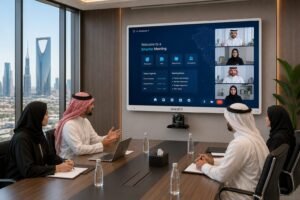
The practical payoff shows up in how balanced a hybrid meeting feels. When the camera can follow the conversation, remote attendees stop straining to work out who is speaking and start reading expressions and body language the way in-room colleagues do. That parity between the people in the room and the people on the screen is the single biggest reason organizations upgrade from webcams.
A well-placed PTZ camera also removes the awkward choreography of people leaning into a laptop or dragging a device down the table. The room stays natural, the camera does the work, and meetings run without the small technical interruptions that quietly eat into every call. For recorded sessions, town halls, and client presentations, the result simply looks more professional.
Key features to look for in a PTZ camera for conferencing
Not every PTZ camera suits a meeting room. Four capabilities separate a genuine conferencing camera from a general-purpose one, and each maps directly to how boardrooms actually operate.
Optical zoom, not digital zoom
Optical zoom moves the physical lens elements to magnify a subject with no loss of detail, which is what lets a camera at the front of a long room read a face clearly at the far end. Digital zoom simply crops and enlarges the existing image, so the picture degrades the moment you push in. For any room longer than a small huddle space, optical zoom is the feature that decides whether distant participants are sharp or soft, and it should be treated as essential rather than a nice extra.
AI auto-tracking and auto-framing
Auto-tracking uses onboard AI to detect the active speaker and move the camera to follow them automatically, while auto-framing adjusts the shot to keep the right number of people correctly composed as the room fills or empties. In a working meeting, this is what lets the camera run untouched from start to finish. Nobody is assigned to operate it, and the shot still behaves as if a director were steering it.
Resolution and image sensor
4K resolution gives you the detail headroom to zoom in during a call while still delivering a clean image, whereas 1080p is a workable floor for smaller rooms on a tighter budget. Just as important is the sensor and its low-light behavior, because Saudi meeting rooms range from bright glass-walled offices to windowless internal boardrooms. A capable sensor holds color and clarity across both without the washed-out look that cheaper cameras produce under mixed lighting.
Field of view for room coverage
Field of view describes how wide an area the lens takes in at its widest setting. A wider field of view captures more of a room from a single mounting point, which matters when a camera has to cover seating that spreads across a large table. The right approach is a lens that is wide enough to establish the full room, paired with enough optical zoom to still isolate one speaker when needed.
Connectivity: how a PTZ camera connects to your conferencing setup
Connectivity is where PTZ cameras differ most from consumer webcams, and getting it right is what keeps a call stable. The common options each suit a different kind of deployment.
| Connection | Best for | What to know |
| USB | Small to mid rooms, plug-and-play | Simplest path. A UVC-compliant camera is recognized by Teams, Zoom, and Webex with no drivers. |
| HDMI | Direct display or capture output | Sends a clean video feed to a screen or capture device, useful for recording and broadcast. |
| IP / PoE | Large rooms, multi-camera, remote control | Carries video and power over one Ethernet cable and lets IT manage the camera centrally over the network. |
| SDI | Long cable runs, broadcast setups | Holds signal quality over long distances and is used in auditoriums and production environments. |
Control is the second half of connectivity. Professional PTZ cameras accept commands through the industry-standard VISCA control protocol over serial (RS-232 or RS-485) or IP, which is how presets, tracking, and multi-camera switching are driven in larger rooms. For most meeting spaces, a USB connection to a room PC or the display handles everything, and the serial control layer only comes into play once you scale to auditoriums or linked rooms.
Matching the camera to your meeting room size
Room size should drive the specification more than any single headline number. A camera that is perfect for a huddle room will feel lost in a long boardroom, and an auditorium camera is wasted on four people. Use the room as the starting point.
| Room type | Typical use | What to prioritize |
| Huddle room (2 to 6 people) | Quick calls, stand-ups | Wide field of view, modest zoom, simple USB. Auto-framing keeps the small group centered. |
| Mid boardroom (6 to 14 people) | Team meetings, client calls | Strong optical zoom plus auto-tracking so the camera can follow speakers down the table. |
| Large conference hall (15+ people) | Town halls, training, presentations | High optical zoom, 4K detail, IP or SDI connectivity, and preset positions for key speaking points. |
The pattern is straightforward. As the room grows, you need more reach from the zoom, more intelligence from the tracking, and more robust connectivity to keep the feed clean over distance. Buying to the room rather than to a spec sheet is what prevents both overspending and underperformance.
Using a PTZ camera with Microsoft Teams, Zoom, and Webex
Any conferencing camera you consider should be UVC-compliant, which is the standard that lets Microsoft Teams, Zoom, and Webex recognize it as a video source automatically. With a UVC camera connected over USB, the platform simply lists it as an available camera, and you select it, with no vendor software required to get a picture on the call.
Advanced behavior such as preset recall or manual pan and tilt is usually handled through the camera’s own remote or control software rather than inside the meeting app, since the platforms treat the camera as a standard input. If your team wants the exact click-by-click of assigning and switching the camera inside each platform, that setup detail deserves its own walkthrough rather than a summary here. For the corporate rooms this equipment typically lives in, our interactive displays for corporate meeting rooms are built to work alongside these platforms out of the box.
Pairing a PTZ camera with an interactive flat panel
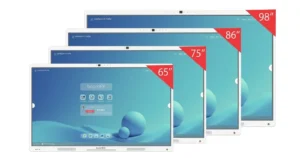
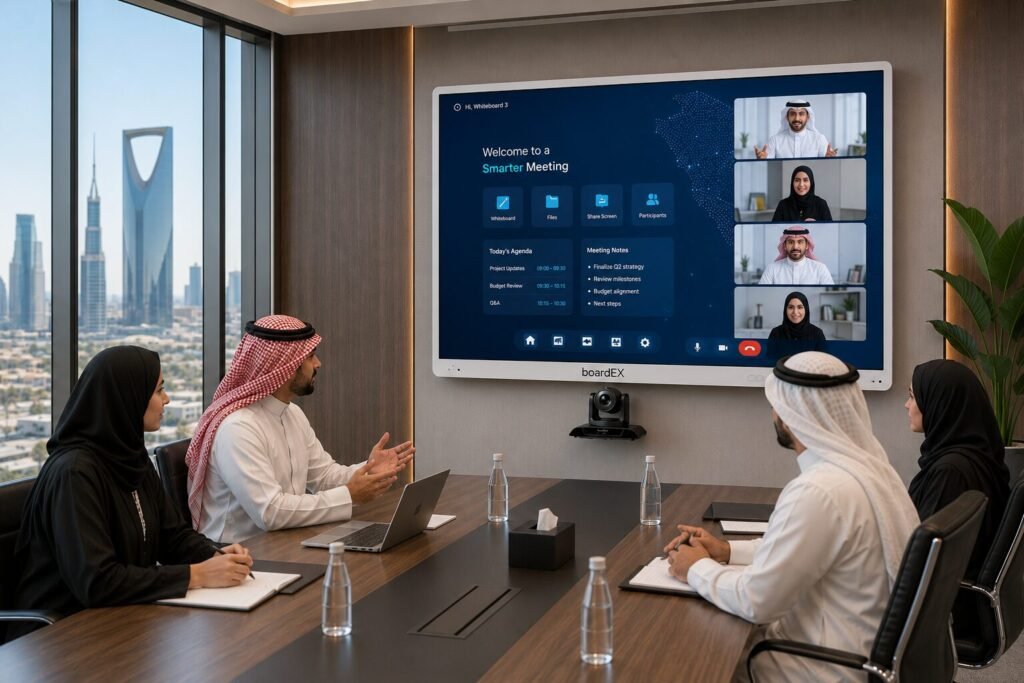
A camera on its own solves only half of a hybrid meeting. The other half is what remote and in-room participants look at together, which is where an interactive display completes the setup. When a PTZ camera captures the room and an interactive panel carries the shared content, whiteboarding, and wireless casting, the two form a single hybrid-meeting system rather than two disconnected gadgets.
This is where the boardEX Vision Pro PTZ camera is designed to fit, pairing 4K capture and AI speaker tracking with boardEX interactive panels that run an Arabic-first and English interface suited to bilingual Saudi offices, all backed by local installation and after-sales support across the Kingdom. For buyers, the advantage of sourcing both from one brand is a system that is specified, installed, and supported as a whole instead of assembled from parts that were never meant to talk to each other.
How to set up a PTZ camera for video conferencing
A good result depends as much on placement as on the camera itself. Mount the camera so its lens sits close to natural eye level, either just above or just below the display, so participants appear to look toward remote colleagues rather than down or away. Keep a clear, unobstructed line of sight down the length of the table, and avoid positioning the camera against a bright window that will silhouette everyone in the room.
Once mounted, set the framing preset for the room’s normal seating, confirm the auto-tracking behaves as people move, and run a short test call to check the shot, the audio pickup, and the connection under real conditions. Getting these fundamentals right at install is what separates a camera that quietly works for years from one that generates support tickets. A precise, step-by-step configuration guide is worth following for a first deployment, and installation support is available directly from the boardEX support team for rooms across Saudi Arabia.
Frequently Asked Questions
Do I need a PTZ camera or is a webcam enough for video conferencing?
A webcam is fine for one person at a desk, but it cannot cover a room. Once a meeting involves several people around a table, a PTZ camera is what keeps everyone visible and framed, because it pans, zooms, and follows the speaker rather than showing one fixed angle. If your calls happen in a shared room, a PTZ camera is the right tool.
Does a PTZ camera work with Microsoft Teams and Zoom automatically?
Yes, provided the camera is UVC-compliant. A UVC camera connected over USB appears as a selectable video source inside Teams, Zoom, and Webex with no extra drivers. You simply choose it as your camera in the meeting settings and it works.
What is the difference between optical zoom and digital zoom on a PTZ camera?
Optical zoom magnifies using the physical lens, so the image stays sharp as you zoom in. Digital zoom crops and enlarges the existing picture, which loses quality the further you push. For conferencing in anything larger than a small room, optical zoom is the one that matters.
How high should a PTZ camera be mounted in a meeting room?
Mount it near eye level, just above or just below the display, so people appear to be looking toward the camera during the call. Mounting it at too high an angle downs the shot on the tops of heads, which feels distant to remote participants. A clear line of sight down the table is equally important.
Can one PTZ camera cover a large boardroom on its own?
A single high-specification PTZ camera with strong optical zoom, a wide field of view, and AI auto-tracking can cover most large boardrooms from one mounting point. For very large halls or rooms with obstructed sightlines, a multi-camera setup connected over IP gives fuller coverage, but for standard boardrooms, one capable camera is usually enough.
Get a PTZ camera and interactive display setup specified for your room size, connected to your conferencing platform, and installed by a local team across Riyadh, Jeddah, Dammam, and Khamis Mushayt.