Choosing the right tablet in 2025 can feel like walking into a massive tech showroom, there are so many tablets available in the market, from premium tablets to budget tablets, Android tablets to Windows tablets, and iPads that double as laptops. If you’re trying to choose the best tablet for school, work, gaming, or day-to-day browsing, this comprehensive buying guide will make things easier and help you find the perfect fit.
Table of Contents
What Makes a Tablet “Smart” in 2025?
A smart tablet today is more than just a screen you tap on. Modern smart tablets come with AI-powered features, smarter apps, and enhanced connectivity. They learn how you use the tablet, customize suggestions, optimize battery life, and even control your smart home devices.
In short, the tablet you can get in 2025 isn’t just a gadget, it becomes part of your routine, your productivity, and your entertainment.
Key Features to Consider Before Buying Smart Tablet
1. Display Quality & Screen Size
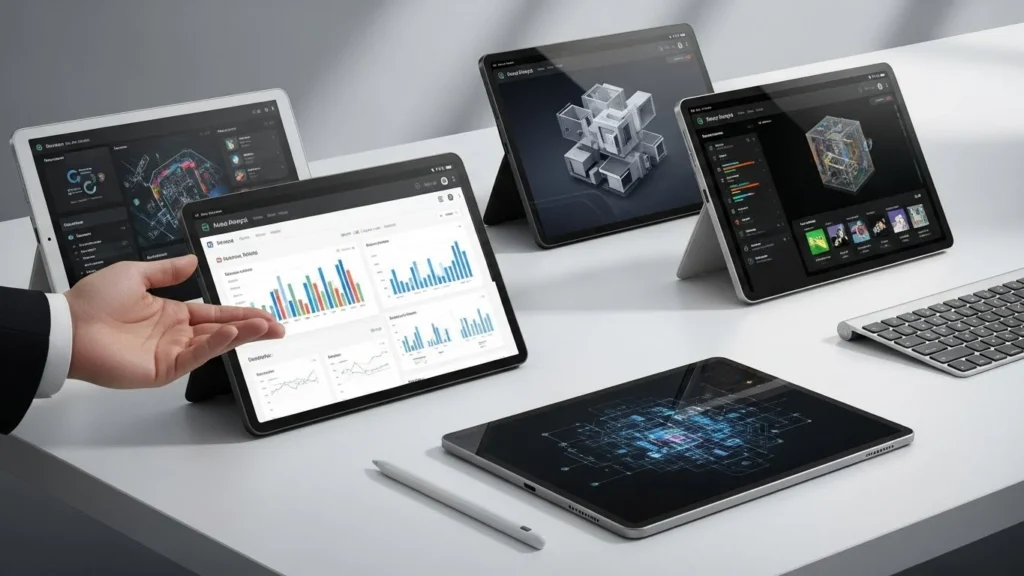
Your display is everything. Whether you’re watching movies, studying, or gaming, a quality tablet screen matters.
- Look for Full HD or higher—2K displays are becoming common even in mid-range tablets.
- Tablet screen size ranges from compact 8-inch tablets to larger screen tablets around 13 inches.
- For most users, a 10–11 inch size tablet strikes the perfect balance for work and entertainment.
If you’re into digital art, make sure your chosen tablet excels in color accuracy and brightness.
2. Processing Power & Performance
A tablet might look nice, but the processor and RAM determine how it performs.
- Casual users can go for mid-range chips.
- Gamers or creatives should choose a powerful tablet with top-tier chipsets.
- RAM matters too, get 6GB minimum, 8GB for multitasking, and 12GB+ for heavy work.
The tablet should last a few years without slowing down, so think long-term.
3. Battery Life
Streaming, video calls, and apps drain battery fast, so aim for a tablet with long battery life, at least 10 hours of mixed use. Many best tablets for 2025 come with adaptive battery tech that learns how you use your tablet and adjusts consumption automatically.
Fast charging and wireless charging are now common, especially in premium tablets.
4. Storage Options
Even with cloud storage, having enough local storage matters.
Start with 128GB, but if you’re downloading media or storing large files, choose 256GB or higher.
Android tablets often offer expandable storage, which is a lifesaver for users on a budget.
5. Connectivity
A good tablet today supports:
- WiFi 6E for fast browsing
- 5G cellular tablets for work on the go
- Bluetooth 5.3 for accessories
If you plan to use the tablet outdoors or while traveling, consider a model with a SIM slot.
Choosing the Right Operating System
iPadOS (Apple)
iPads continue to lead the industry with smooth performance, top-tier apps, and years of updates. The iPad Air and Pro remain top picks for students and creatives.
Best for: creatives, Apple ecosystem users, and anyone wanting reliability.
Android Tablets
Android offers variety, from budget tablets like Amazon Fire tablets to high-end Samsung Galaxy Tab models. You get flexibility, customization, and great value.
Best for: Android users, budget buyers, and anyone wanting more control.
Windows Tablets
Great for productivity, a Windows tablet can replace your laptop entirely. It handles productivity apps, desktop software, and multitasking better than most tablets.
Best for: professionals, students who need full software, and hybrid laptop-tablet users.
Smart Features That Actually Matter
AI Integration
AI suggests apps, improves performance, enhances battery life, and helps you manage tasks seamlessly.
Smart Home Control
Your tablet can become your smart home hub, control lighting, monitor cameras, or adjust thermostats with ease.
Productivity Tools
If you plan to use your tablet for productivity, look for:
- Split-screen
- Desktop mode
- Stylus support
- Keyboard attachments
A good stylus offers pressure sensitivity and natural writing, perfect for note-taking or drawing.
Types of Tablets Available
Budget Tablets
Great for kids, casual use, or streaming. They deliver solid performance without hurting your wallet.
Mid-Range Tablets
The sweet spot. They provide great displays, strong battery life, and enough power for everyday productivity.
Premium Tablets
These include the best selection of top-end displays, ultra-fast processors, and the most advanced features.
Special Recommendations by User Type
Students
Look for a lightweight tablet with a long battery life, stylus support, and strong multitasking features.
Seniors
Choose tablets with simple UI, larger displays, and easy voice controls.
Professionals
A tablet for work should have:
- Keyboard support
- Strong processor
- Desktop-class browsing
- Business-grade security
Families
Kids need durable tablets with parental controls and family profiles.
Must-Have Accessories
- Stylus for drawing or notes
- Keyboard case if you’re using the tablet as a laptop
- Tempered glass screen protector for durability
- Folio case for everyday use
Small items, big difference.
Common Mistakes When Buying a Tablet
- Choosing based on brand hype instead of actual features
- Ignoring storage limitations
- Overlooking your ecosystem—mixing Android with Apple can make things complicated
- Not planning how long you want the device to serve you
A little research saves a lot of regret.
Making the Final Choice
To find the perfect tablet:
- Define your main use (work, gaming, study, media).
- Set a realistic budget, including accessories.
- Compare tablet categories, budget, mid-range, premium.
- Consider how long the tablet will stay updated.
- Choose the best tablet to buy based on your actual needs.
Future-Proofing Your Tablet Purchase
- Choose devices with WiFi 6E, 5G, and the latest processors
- Pick brands with long OS update cycles
- Get more RAM and storage than you think you need, the apps and OS grow every year
Bottom Line
There’s no single “best tablet.” The right choice depends on your usage, budget, and preferred ecosystem. Whether you’re considering an Android tablet, a premium Samsung Galaxy Tab, an efficient iPad Air, or a feature-rich Windows tablet, 2025 offers incredible options for every type of user , and boardEX helps you choose the one that fits your needs best.
FAQ’s
What are the best smart tablets?
Top options include the iPad Air, OnePlus Pad 3, Samsung Tab S10 FE+, and Huawei MatePad SE, great choices that BoardEX often recommends for different budgets and needs.
Which type of tablet is good?
Choose based on use: premium tablets for work, mid-range for daily tasks, and budget tablets for simple browsing and entertainment.
Can a tablet replace a phone?
No, tablets are too big for daily calling and portability, but great as a secondary device.