Table of Contents
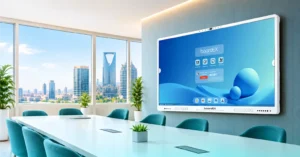
In a boardEX classroom, monitoring runs on hardware the school already uses for teaching: the interactive flat panel at the front of the room and, in larger spaces, the Vision Pro PTZ camera. The panel’s Sentinel software gives administrators one portal for live and recorded class activity, board content, attendance, and equipment status. The PTZ camera adds a zoomable, tracking view for lecture halls, labs, and big classrooms.
This guide explains how each part works, which rooms need which setup, and what principals and education directors should check before they buy.
How classroom monitoring works on an interactive flat panel
Sentinel, boardEX’s smart classroom monitoring feature, gives school administrators a centralised view of every classroom equipped with a boardEX interactive flat panel. From one admin portal, they can access the classroom cameras, microphones, panel screens, and classroom activity.
Staff with the right permissions can see:
- Live or recorded classroom activity, room by room
- What the teacher displayed or wrote on the panel during the lesson
- Teacher activity and classroom discussions, through the camera and microphone feeds
- Student classroom activity
- System status, such as power availability and camera or app usage
Sentinel also turns recordings into reports and AI summaries. An administrator can search for a specific moment or ask a question about a class or time period instead of watching a full lesson again.
This is the main difference from a CCTV camera placed in a classroom. CCTV shows who was in the room. A panel-based system also shows what was taught on the board, which is what a supervisor actually needs when reviewing a lesson.
What administrators can do with Sentinel?
Sentinel is built for one job: letting a principal or supervisor follow what happens in every panel classroom without being physically present in each one. Here is how its features map to everyday school tasks.
| Administrator task | Sentinel feature that handles it |
|---|---|
| Observe a lesson without walking into the room | Live classroom activity through the camera and microphone feeds |
| Review a lesson after it has ended | Recorded classroom activity |
| Check what was actually taught | What was displayed or written on the panel |
| Follow up a parent or student concern about a specific lesson | Search for specific moments in class |
| Prepare for a supervision or quality review meeting | Classroom reports and summaries, plus questions about a particular class or time period |
| Oversee many classrooms, floors, or buildings | Multiple classrooms and panels managed from one admin portal |
| Spot panels that are off, faulty or not being used | System status, including power availability and camera or app usage |
The AI side works on the recorded data. Instead of watching a full lesson to find one discussion, an administrator asks Sentinel a question about that class or time period and receives the relevant information.
AI Attendance through the panel camera
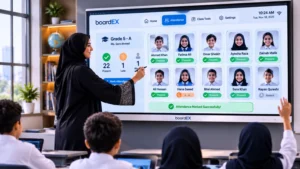
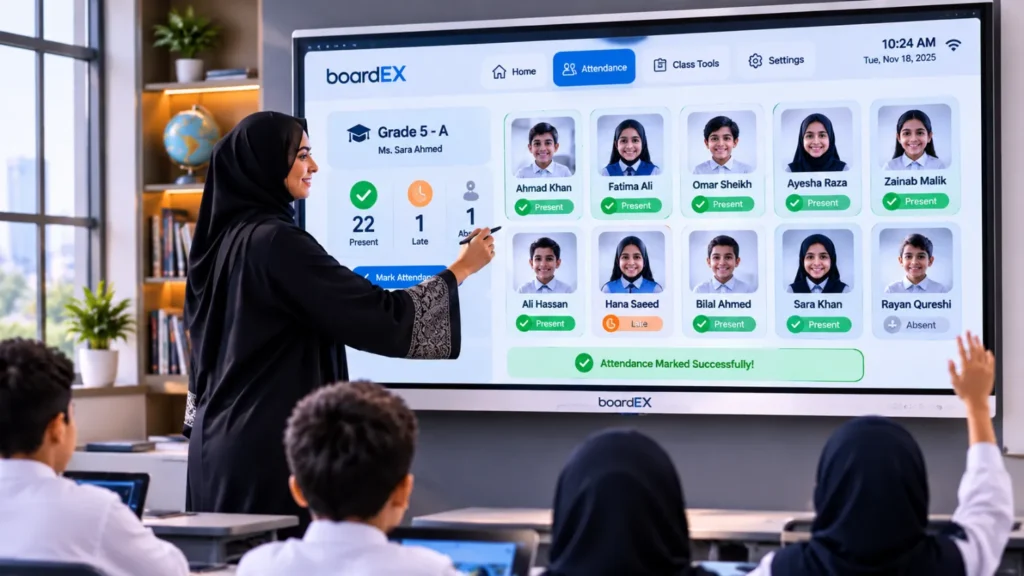
The panel camera also runs boardEX AI Attendance. The teacher adds class and teacher details, opens Attendance, and registers each student by name and face, captured from the front, left, right, and other angles. After registration, the camera recognises students and the teacher can mark attendance for one student or several at once.
For administrators, this means attendance and classroom activity sit in the same system as the lesson itself, rather than in a separate register.
Where the Vision Pro PTZ camera fits
A panel camera looks out from the front of a standard classroom. In a lecture hall, auditorium, large lab, or exam hall, one fixed view at the front is not enough. That is where the boardEX Vision Pro PTZ camera comes in.
PTZ stands for pan, tilt, and zoom. Vision Pro pans 350° and tilts 90°, so one wall- or ceiling-mounted camera can cover the teacher, the board, and the student seating. On the Vision Pro 20 and Vision Pro 30, AI tracking follows the teacher as they move around the room, so recordings stay framed without anyone operating the camera.
| Model | Optical zoom | Video outputs | Good fit for |
|---|---|---|---|
| Vision Pro 10 | 10x | USB 3.0, HDMI | Large classrooms and small labs |
| Vision Pro 20 (AI Tracking) | 20x | USB 3.0, HDMI, RJ45, SDI | Lecture halls and training rooms |
| Vision Pro 30 (AI Tracking) | 30x | USB 3.0, HDMI, RJ45, SDI | Auditoriums and long halls |
All three models output 1080p video and store 64 preset positions. For monitoring, presets matter more than they first appear. A school can save one preset for the board, one for the teacher’s desk and one for the student seating, then switch between them by remote or software instead of moving the camera by hand.
Vision Pro works with boardEX interactive flat panels as a plug-and-play camera, and with Zoom, Microsoft Teams, and Google Meet. Schools use it to:
- Record full lectures for supervisors to review, or for absent students to watch later
- Let a supervisor observe a lesson without walking in and changing how the class behaves
- Watch exam halls from one position, zooming in where needed
- Stream assemblies, events, and hybrid classes
The camera also offers two-way audio, motion alerts, and IR night vision, which help with after-hours monitoring of labs and equipment rooms.
Which setup does each room need?
| Room type | Interactive panel with Sentinel | Add a Vision Pro PTZ camera? |
|---|---|---|
| Standard classroom | Covers board content, attendance, and the front-of-room view | Usually not needed |
| Large classroom or science lab | Covers board content and attendance | Vision Pro 10 or 20 for a wider view of benches |
| Lecture hall or training room | Covers board content | Vision Pro 20 to follow the lecturer |
| Auditorium or exam hall | May have no panel | Vision Pro 30 for Zoom across long distances |
| Hybrid or streamed lessons | Runs Zoom, Teams, or Meet | PTZ camera connected to the panel for a better picture |
Buyer checklist for school administrators
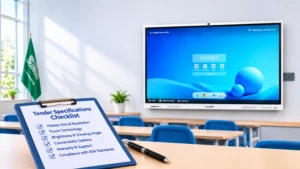
Use these questions with any supplier you are comparing.
| Area | What to check |
|---|---|
| Panel coverage | Which classrooms already have interactive panels, and which would need one for Sentinel |
| PTZ placement | Which rooms are too large for the panel camera alone |
| Roles and access | Separate permissions for principal, supervisor, IT, and teacher |
| Audio | How microphone recording is handled in each room |
| AI features | Which reports, AI summaries, and attendance features are included in your package |
| Storage and retention | Where recordings and face data are stored, and how long they are kept |
| Network | Bandwidth for many panels and cameras streaming at once |
| Support | Local support team, agreed response times and remote device management |
| Training | Handover training for IT staff and non-technical administrators |
Privacy: settle these before you switch monitoring on
Sentinel works with video and audio, AI Attendance uses face data, and a PTZ camera can zoom in closely. Under Saudi Arabia’s Personal Data Protection Law (PDPL), fully enforced by the Saudi Data and AI Authority (SDAIA) since 14 September 2024, footage of an identifiable student or teacher is personal data. The school is responsible for how it is used.
Agree these points in writing before launch:
- Purpose. Safety, attendance, and support for teaching quality. Do not reuse the data for unrelated purposes.
- Notice. Tell parents, teachers, and students what the panels and cameras record, in Arabic and English, and place signs in monitored rooms.
- Access. Give live and recorded access only to named roles, and keep a log of who viewed what.
- Face data. Collect the consent your legal adviser requires and delete face records when a student leaves.
- Retention. Set a fixed period for recordings and delete them automatically after it.
This section is general guidance, not legal advice. Confirm the details with a qualified compliance professional.
Support and quality after installation
Monitoring only works while every panel and camera is online. Every boardEX panel ships with a device management system that lets IT teams monitor and update panels across a campus remotely. Sentinel also shows power and camera status, so a faulty room appears on the dashboard instead of being found weeks later.
At handover, the boardEX after-sales team walks IT staff through the management layer, so the school’s own team knows how to run the system from day one.
Run a pilot before a full rollout
- Choose three to five panel classrooms and one larger room with a Vision Pro camera.
- Run Sentinel, AI Attendance, and the PTZ camera for four to six weeks, with the privacy policy already in place.
- Compare AI attendance against manual registers and check recording clarity in each room.
- Track how often administrators open the dashboard and what they use it for.
- Collect teacher feedback in writing, then decide on full rollout.
See it in your own school
Ask boardEX for a demonstration of Sentinel and AI Attendance on an interactive flat panel, with a Vision Pro PTZ camera set up in one of your larger rooms. Request a quote or demo.
Frequently asked questions
What monitoring software is suitable for schools?
For monitoring the classroom itself, the most practical option is software built into the interactive flat panels the school already teaches with. boardEX Sentinel runs on the panel and shows live or recorded lessons, board content, attendance, and equipment status in one admin portal. For large rooms, pair it with a PTZ camera such as boardEX Vision Pro. Whatever you choose, check for role-based access and clear data retention settings.
Is classroom monitoring allowed in Saudi schools?
Schools can monitor classrooms, but footage and facial data are personal data under the PDPL, enforced by SDAIA since September 2024. Set a clear purpose, inform parents and staff, limit access, and set a retention period. Confirm the details with your compliance adviser.
Do we need separate cameras if our classrooms have interactive panels?
In a standard classroom, usually not. Sentinel uses the panel’s camera and microphone. Larger rooms such as lecture halls, labs, and exam halls benefit from a Vision Pro PTZ camera, which pans, tilts, and zooms to cover the whole room.
How does AI attendance work on an interactive panel?
The teacher registers each student once by name and face, captured from several angles. After that, the panel camera recognises students, and the teacher marks attendance for one student or a whole group at a time.
How is a PTZ camera used for classroom monitoring?
A PTZ camera is mounted at the back or side of a large room and controlled remotely. Saved presets let staff switch between the board, the teacher, and the students, and AI tracking on Vision Pro 20 and 30 keeps the teacher in frame. Schools use it to record lectures, observe lessons, and watch exam halls.
Which Vision Pro PTZ model suits our school?
Vision Pro 10 (10x zoom) suits large classrooms and small labs. Vision Pro 20 (20x zoom, AI tracking) suits lecture halls and training rooms. Vision Pro 30 (30x zoom, AI tracking) suits auditoriums and long halls.
Who should have access to classroom recordings?
Only named roles with a clear reason, such as the principal, a designated supervisor, and IT for technical issues. Every viewing should be logged, and teachers should know who can see their lessons.
Can administrators monitor several classrooms from one dashboard?
Yes. Sentinel gives administrators one admin portal across all panel-equipped classrooms, so they can move between rooms without leaving their office.