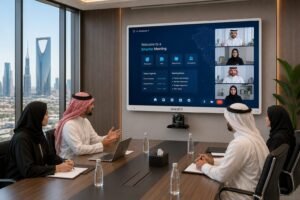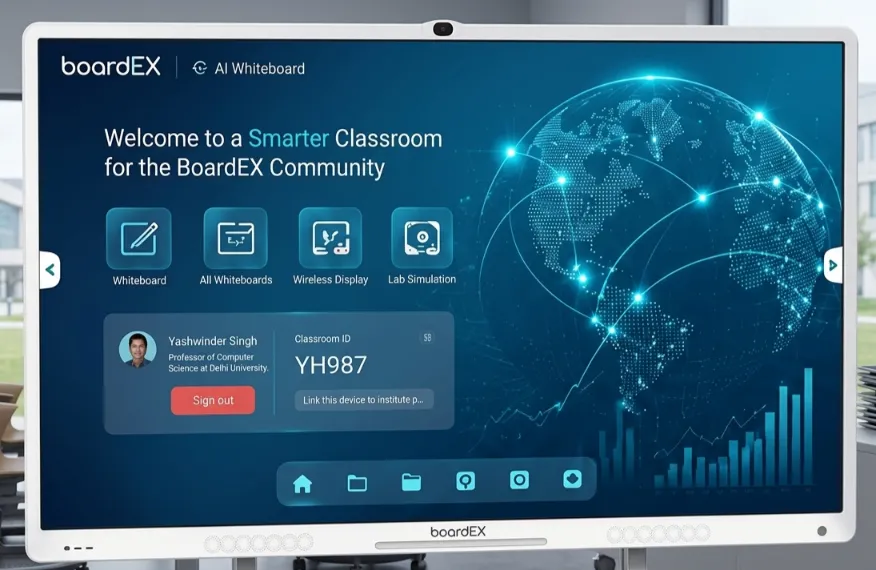
Buying an interactive flat panel sounds simple until you stand in the room and try to picture it on the wall. Is 65 inches big enough? Will the back row read it? Does it need Windows, or is Android fine? For schools and training centers in Jubail, these questions carry a little extra weight because the rooms here are not all the same. A primary classroom in Old Jubail has very different needs from a technical training room inside a Royal Commission institute.
This guide walks through the choices that actually matter, in plain terms, so you can spec a panel once and not regret it later.
Table of Contents
Start with the room, not the panel
The most common mistake is picking a screen size from a brochure before measuring the space. Size should follow the room, not the other way around.
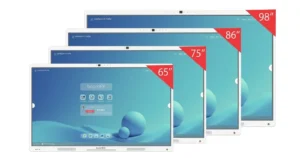
A good rule of thumb is the distance from the screen to the furthest viewer. If your back row sits around four meters away, a 65-inch panel starts to feel small. Push that to 6 meters or more, which is common in larger training halls and lecture rooms, and you want 86 inches or more, so the text stays comfortable to read.
For Jubail specifically, this matters because training centers often run wider rooms than standard classrooms. A safety briefing room or a technical institute hall can accommodate more people and seat them farther back than a typical Grade 4 classroom. Matching the panel to that depth is the single biggest factor in whether people actually use the screen or squint at it.
A quick reference most buyers find useful:
- Small classroom or meeting room, back row under 4m: 65 inches
- Standard classroom, back row around 4 to 5m: 75 inches
- Large classroom or training hall, back row 5 to 6m: 86 inches
- Lecture hall or wide briefing room, back row beyond 6m: 98 inches and up
Android or Windows: keep it honest
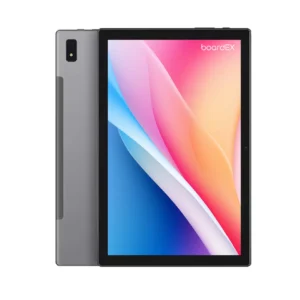
Most education buyers do not need Windows. A modern panel runs Android out of the box, opens lesson files, wirelessly mirrors a laptop or tablet, and handles whiteboarding without a separate PC. That covers the vast majority of classroom and training use.
You only really need a Windows option when a specific desktop program has to run directly on the panel, for example, specialist software that a technical institute already depends on. Even then, that is usually handled with a plug-in computing module rather than buying a more expensive panel across the board. If a supplier pushes Windows on every unit without asking what you run, that is a sign to slow down and ask why.
Touch and pen: where daily wear shows up
In a school or training center, a panel is constantly touched by different hands all day. Two things protect that experience over the years.
The first is touch points. A panel with 40 touch points lets more than one person write at once, which matters for group work and collaborative training exercises. The second is the writing surface itself. Anti-glare glass keeps the board readable when sunlight comes through the windows, which is no small thing in this part of the Kingdom. A dual-tip pen, where one end writes thin and the other thick, also saves teachers from fiddling with menus mid-lesson.
These are the small things that decide whether staff still like the panel in year three, once the new feeling has worn off. boardEX builds its panels for this kind of hard daily use, and the interactive flat panel range is made for rooms where many people touch the screen all day, every day.
Arabic support is not a nice-to-have
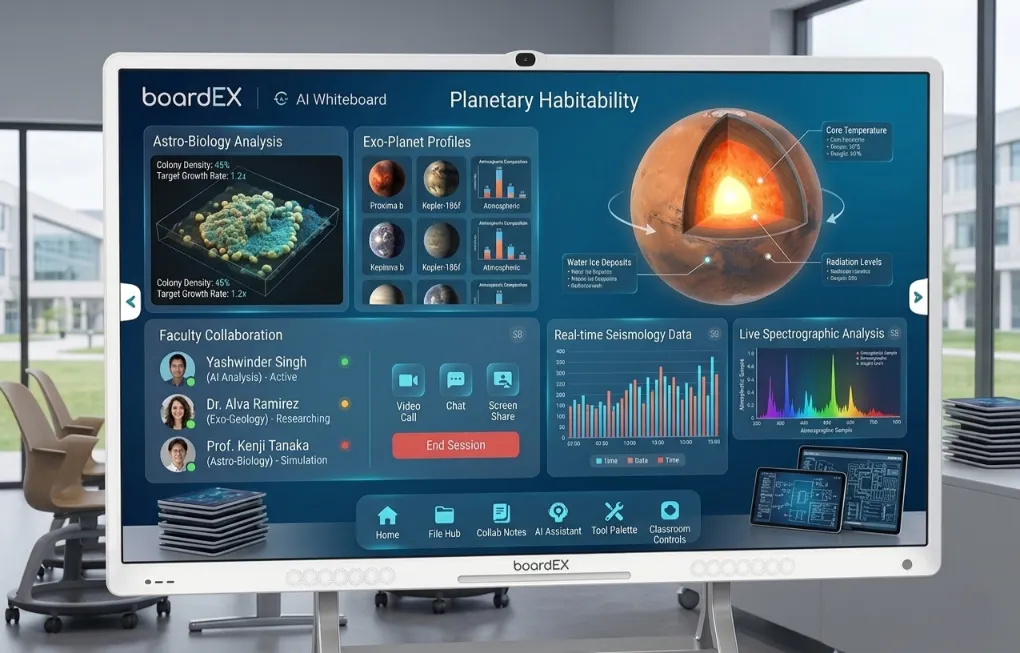
For schools and training programs, an Arabic-first interface is often the deciding factor, not a bonus. Staff should be able to drive the whole board in Arabic without hunting through English menus, and content should display Arabic text cleanly. This is worth testing in person before you commit, ideally with your own lesson material on the screen.
Plan for the part nobody enjoys: support
A display is only as good as the help behind it when something goes wrong. Before signing anything, ask three direct questions. Who installs it and mounts it safely? Who trains the staff so that the panel is used from week one rather than gathering dust? And who answers the phone in two years when a cable fails, or a setting gets lost?
For Jubail, where many institutions run tight academic and training calendars, response time matters as much as the hardware. Beyond the install itself, boardEX backs each panel with on-site training so staff are confident from week one, plus nationwide after-sales support that picks up the phone when a cable fails or a setting gets lost two years later. That ongoing cover is usually what separates a panel that gets used daily from one that quietly goes dark.
A simple shortlist before you buy
When you are close to a decision, run through this short checklist:
- Measured the room and matched the size to the back row
- Confirmed Android covers your needs, or identified the exact reason you need Windows
- Checked touch points and anti-glare for daily multi-user wear
- Tested the Arabic interface with real content
- Pinned down installation, training, and after-sales in writing
If a supplier can walk you through all five without dodging, you are in safe hands.
Where to go next
If you are speccing displays for a school, institute, or training center in Jubail, the next step is a short conversation about your actual rooms and audience. That is also where the local detail matters most, since panels still have to be mounted, configured, and supported on the ground, and boardEX handles installation and after-sales for schools and training centers across Jubail rather than shipping a box and leaving. When you are ready, the team can walk through your rooms with you.
Frequently Asked Questions
What size interactive flat panel is best for a classroom in Jubail?
For a standard classroom where the back row sits four to five meters away, a 75-inch panel works well. Larger training halls with deeper seating usually need 86 inches or more, so text stays readable from the back.
Do schools in Jubail require a Windows interactive panel, or is an Android device sufficient?
Android is enough for most schools and training centers. It opens lesson files, wirelessly mirrors devices, and handles whiteboarding without a separate PC. Windows are only needed when specific desktop software must run directly on the panel.
Does an interactive flat panel support Arabic?
Yes. boardEX panels run an Arabic-first interface, so staff can operate the whole board in Arabic and display Arabic content cleanly, which matters for schools and government-linked training programs.
How many touch points should a school panel have?
Look for 40 touch points so more than one person can write at the same time. This supports group work and collaborative training rather than single-user use.